Eight everyday money calculators for loans, GST, pricing and growth — in one offline tool
A single, fast web page that does the number-crunching Indian freelancers, shops and small businesses do every week: work out a loan EMI and see exactly where the money goes, check how much loan your income supports, add or remove GST, price a product for a target margin, find your break-even, project a SIP, and work out a discount. Every result updates as you type, you can save and export your scenarios, and nothing is uploaded — it runs entirely in your own browser, even with the internet off.
Get the Tool — ₹199 →Anyone in India who plans money — for a home, a business or a purchase
See the real EMI, total interest and the full month-by-month schedule before you sign — and how much a part-payment saves.
Price a product for a target margin, split GST correctly, and find the number of units you must sell to break even.
Quote a project with the right margin, add or remove GST on a fee, and sanity-check a client's budget.
Check loan eligibility against your income, and project what a monthly SIP or a lumpsum could grow to.
Eight calculators, each built for the way India actually borrows, bills and prices
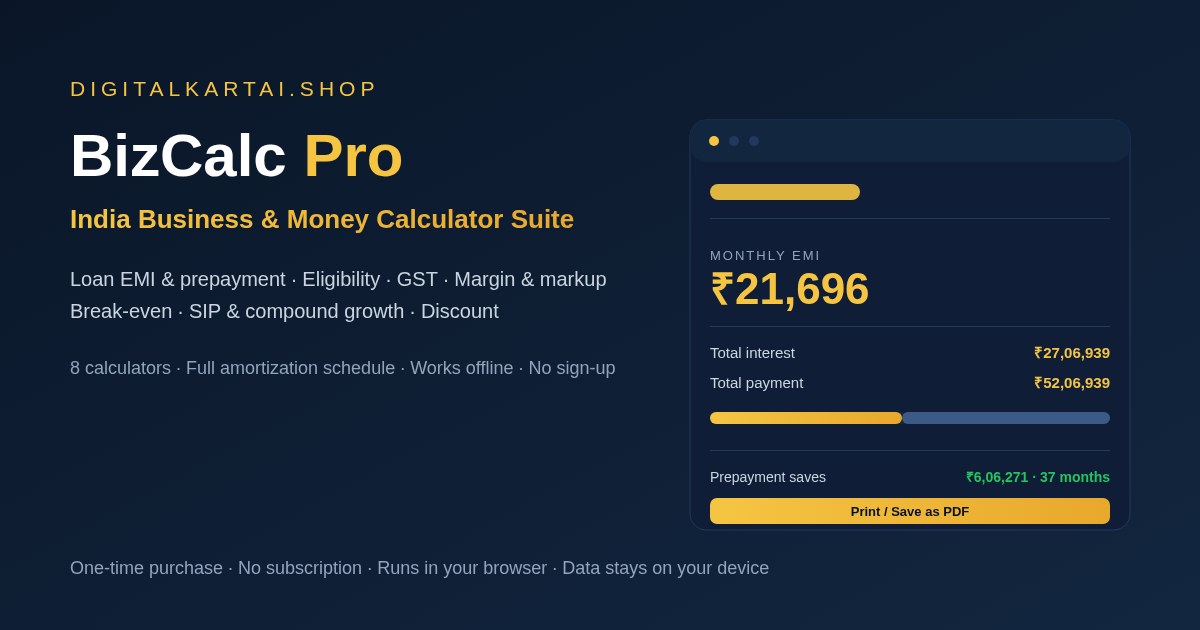
Reducing-balance EMI, total interest and total payment — plus a full month-by-month amortization schedule and a prepayment box that shows the interest and months you save.
Put up to three loan offers side by side on amount, rate and tenure. The lowest total cost is flagged, and you see exactly how much more the others cost.
Enter your net income, existing EMIs and the lender's FOIR to estimate the loan amount you may be sanctioned at a given rate and tenure.
Add GST to a base price or pull it out of an inclusive price, with the CGST/SGST split and the single IGST figure shown for every standard slab.
Turn a cost and selling price into profit, margin and markup — or work out the price you must charge to hit a target margin.
Contribution per unit, break-even units and revenue, and how many units you need for a target monthly profit.
Project a monthly SIP or a one-time lumpsum — invested amount, estimated gain and total value, compounded monthly.
Work out the final price from an MRP and a discount, or the original price from a discounted one — useful for sales and offers.
A complete, self-contained folder — nothing else to buy
Double-click to open the calculator suite in your browser. One self-contained file, no installer, no admin rights.
Getting started, a walkthrough of all eight calculators, how the maths works, and compatibility notes.
Import it to see the tool filled in with a worked home-loan example before you enter your own numbers.
Your single-user licence to use the tool for your own personal and business work.
From download to your first result in about a minute
Unzip the folder and double-click index.html. It opens in Chrome, Edge, Firefox or Safari.
Choose a tab — Loan EMI, Comparison, Eligibility, GST, Margin, Break-even, SIP or Discount.
Enter the amount, rate and tenure (or cost and price). Every result updates live as you type.
Save the scenario, export it as JSON, or press Print / Save as PDF to keep a clean copy of the results.
What the tool looks like and what it gives you
A dark, easy-on-the-eye layout with the eight calculators across the top. Inputs on the left, live results on the right, on any screen size.
Each result comes with a plain-English breakdown — interest as a share of the total, contribution per unit, the CGST/SGST split — not just a single number.
All money is shown in the Indian lakh/crore format, and big totals are also written out in words.
Plain, portable files — no lock-in
One ZIP containing a single self-contained HTML file, the user guide, an example scenario and the licence. Unzips on Windows, macOS, Linux, Android and iOS.
Current Chrome, Edge, Firefox and Safari, on desktop and mobile. No internet connection needed once downloaded.
Print to paper or save any calculator's results as a PDF from your browser. Scenarios can be saved in the browser or exported and imported as JSON.
One-time payment · Lifetime access · No subscription
Your purchase is protected
Your download is ready the second your payment succeeds — a single ZIP with the tool, guide, example and licence.
Nothing is uploaded. Your numbers and saved scenarios stay in your own browser, on your own device.
UPI, cards, net banking & wallets — processed on PCI-DSS compliant infrastructure.
Everything you need to know before buying
It is a small software tool, not an ebook. You get a folder with an index.html file; you double-click it and it opens in your browser as a working set of calculators. There is nothing to install and no account to create.
Yes. Once the folder is on your device, every calculator works with the internet switched off. Nothing is uploaded and your inputs stay in your own browser.
Eight calculators: loan EMI with a full month-by-month amortization schedule and prepayment savings; a side-by-side loan comparison for up to three offers; loan eligibility using your income, existing EMIs and FOIR; GST added to or removed from a price with the CGST/SGST split; margin and markup; break-even units and revenue; SIP and lumpsum compound growth; and discount pricing.
Yes. Save scenarios by name in your browser, export and import them as a small JSON file, and print any calculator's results or save them as a PDF from your browser's print dialog.
The maths uses the standard reducing-balance EMI formula and the GST add/remove formulas, so the numbers are accurate for the inputs you give. But lenders add processing fees, insurance and their own eligibility rules, and GST slabs can change. Treat the results as estimates and confirm the current position with your bank or CA.
No. It is a one-time purchase. There is no monthly or yearly fee and no limit on how many calculations you run.
After a successful payment on Razorpay you are taken to a thank-you page with a download button. Click it to get your ZIP instantly — it is yours forever.
Digital products are non-refundable because they are instantly downloadable. But if you receive a defective or corrupted file, or were charged incorrectly, we will replace or resolve it — just email lonefaisal977@gmail.com within 7 days.
If you plan money, these Digitalaikart products go hand in hand
The Excel & Google Sheets money system that pairs with this tool's GST, margin and break-even calculators.
Everything to do before, during and after buying a home — the guide to go with the loan calculators.
Turn your priced quotes into clean, GST-correct invoices you can print or save as PDF.
One-time ₹199 · Offline tool · User guide, example & licence included.
Get the Tool →