Freelancer Finance OS — Excel and Google Sheets money tracker for Indian freelancers

Freelancer Finance OS — India

Excel & Google Sheets tracker for income, invoices, TDS, expenses & advance tax · FY 2026-27

A ready-to-use money system for Indian freelancers, consultants and one-person businesses. Log each invoice once — amount, GST, TDS, due date, payment date — and the workbook works out your invoice total, the TDS deducted, what actually reached your bank, and whether it is Paid, Due or Overdue. A dashboard, a client book, a monthly April-to-March profit view and a tax planner that estimates your FY 2026-27 advance tax under the new regime all update by themselves. No macros, no sign-up, no subscription.

9
Sheets
400
Invoice + expense rows
0
Macros
Apr–Mar
Indian FY
Get the Workbook — ₹199 →

Who This Is For

Anyone in India who earns from clients and wants their money and tax in one place

💻

Freelancers & Consultants

Designers, developers, writers, marketers and consultants who invoice a handful of clients and are paid with TDS deducted.

🧑‍💼

One-person Businesses

Solo proprietors who need a simple profit-and-loss across the April–March year without full accounting software.

🎓

Tutors & Creators

Anyone with irregular income who wants to see outstanding payments and set money aside for tax before it is due.

🧾

First-time Filers

Freelancers filing their first ITR who want a plain-language view of presumptive vs regular tax for FY 2026-27.

What You Can Do With It

The everyday money jobs, handled in one workbook

📊 Live Dashboard

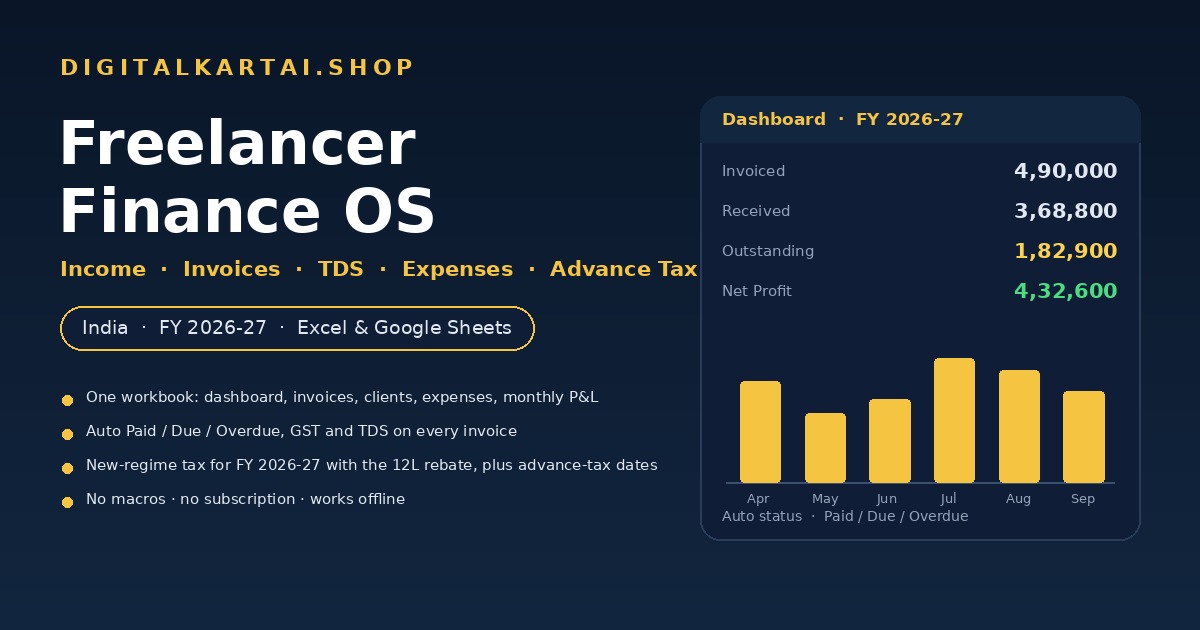
Invoiced, received, outstanding, overdue count, expenses, net profit, profit margin, TDS and GST — with two charts that redraw as you add rows.

🧾 Invoices & Payments

One row per invoice with automatic invoice total, TDS deducted, net-to-bank, due date and a colour-coded Paid / Due / Overdue status.

👥 Client Book

See each client's invoiced, received and outstanding amounts, how many invoices they have, their average days to pay and their share of your income.

💸 Expenses & Input GST

Log costs by category with an input-GST column and a deductible flag, so your profit and your GST view are both correct.

📅 Monthly Summary

April to March: invoiced, received, expenses, net profit, cumulative profit and a suggested tax set-aside — all automatic.

🧮 Tax Planner

Regular books vs presumptive (44ADA / 44AD), the FY 2026-27 new-regime tax with the ₹12L rebate and marginal relief, your TDS credit and the advance-tax instalments.

Inside the Pack

One ZIP — the workbook, the instructions and your licence

  1. Freelancer-Finance-OS-India.xlsx — the workbook

    Nine sheets: Start Here, Dashboard, Invoices, Clients, Expenses, Monthly Summary, Tax Planner, Settings and Tax Rates (Reference). Live formulas, dropdowns and charts. No macros.

  2. README.md — the instructions

    A step-by-step guide: 10-minute setup, how every automatic column works, the tax engine, everyday tips and the Google Sheets import steps.

  3. LICENSE.txt — your licence

    Your single-purchase licence to use the workbook for your own business.

How It Works

From download to your first dashboard in about ten minutes

1 · Unzip & open

Unzip the folder and open Freelancer-Finance-OS-India.xlsx in Excel (or upload it to Google Sheets). Nothing to install.

2 · Fill Settings

Enter your name, payment terms, the tax set-aside % you want, and whether you are GST registered. Yellow cells are the ones you type in.

3 · Log your invoices

Replace the clearly-labelled example rows with your own invoices and expenses. Everything else calculates itself.

4 · Read the Dashboard

See your position at a glance, then open the Tax Planner to see what to set aside and when the next advance-tax instalment is due.

Preview

What the workbook shows you

The Dashboard

Twelve headline numbers on the left and GST/TDS figures on the right, with an "Invoiced vs Expenses by month" bar chart and a cumulative-profit line chart.

The Invoices sheet

Type the amount, GST %, TDS %, due date and payment date. The invoice total, TDS, net-to-bank and status fill in on their own — overdue rows turn red.

The Tax Planner

A single page that walks from gross receipts to net profit to taxable income to total tax, then nets off your TDS and shows the four advance-tax instalments with dates.

File Format & Compatibility

Plain, portable files — no lock-in

Format

One ZIP containing a Microsoft Excel workbook (.xlsx), a README and the licence. Unzips on Windows, macOS, Linux, Android and iOS.

Apps

Microsoft Excel 2016+, Microsoft 365, Google Sheets and LibreOffice Calc. No macros, so nothing needs to be enabled.

Currency & year

Indian rupee with lakh/crore grouping, and a financial year that runs April to March.

Get Instant Access

One-time payment · Lifetime access · No subscription

Buy With Confidence

Your purchase is protected

⚡

Instant Delivery

Your download is ready the second your payment succeeds — a single ZIP with the workbook, instructions and licence.

🔒

Yours Forever

A one-time purchase with no subscription. The file is yours to keep, edit and reuse every year.

💳

Secure Razorpay Checkout

UPI, cards, net banking & wallets — processed on PCI-DSS compliant infrastructure.

Frequently Asked Questions

Everything you need to know before buying

Is this an ebook or a software tool?

It is neither. You get a Microsoft Excel / Google Sheets workbook (.xlsx) with live formulas — nine sheets covering a dashboard, invoices, clients, expenses, a monthly summary, a tax planner, settings and a reference sheet. There are no macros, nothing to install and no account to create.

What do I need to open it?

Microsoft Excel 2016 or later, Microsoft 365, Google Sheets or LibreOffice Calc, on Windows, macOS, Linux, Android or iOS. There are no macros, so nothing needs to be enabled.

Does it work in Google Sheets?

Yes. Upload the .xlsx to Google Drive, open it with Google Sheets and save it as a Google Sheet. The formulas, charts and dropdowns carry over. The README has the step-by-step steps, including what to do if a dropdown needs re-pointing.

Does it calculate my income tax?

It estimates it. The Tax Planner compares regular books against the presumptive schemes (44ADA 50% for professionals, 44AD 8% for business) and applies the FY 2026-27 new-regime slabs, including the ₹60,000 rebate under section 87A (nil tax up to ₹12 lakh taxable income), marginal relief just above ₹12 lakh and the 4% health and education cess. It then nets off your TDS credit and any advance tax you have already paid. The figures are indicative — verify them with your chartered accountant or at incometax.gov.in before you file or pay.

Does it handle TDS and GST?

Yes. Each invoice carries a TDS percentage and works out the TDS deducted and the amount that actually reaches your bank. There is an input-GST column on expenses and a GST quick view (output GST, input GST and net). It does not file GST or income-tax returns, and it does not generate e-invoices.

How many invoices and expenses can I track?

Two hundred invoice rows and two hundred expense rows, with a client book of thirty. That is comfortably more than a full financial year for most freelancers, and the ranges are easy to extend if you need more.

Is it a subscription?

No. It is a one-time purchase. There is no monthly or yearly fee, no per-invoice charge, and you keep the file forever.

How do I get my file after payment?

After a successful payment on Razorpay you are taken to a thank-you page with a download button. Click it to get your ZIP instantly — it contains the workbook, the README and your licence.

Can I get a refund?

Digital products are non-refundable because they are instantly downloadable. But if you receive a defective or corrupted file, or were charged incorrectly, we will replace or resolve it — just email lonefaisal977@gmail.com within 7 days.
Pairs Well With

If you run your own money, these Digitalaikart products go hand in hand

GST Invoice Generator Pro

Create the GST tax invoices you then track here — offline, with auto CGST/SGST/IGST and print-to-PDF.

The Freelancer Tax & Money Playbook

The tax rules behind the planner — presumptive taxation, advance tax and GST for freelancers, explained.

The New Income Tax Act 2025 Playbook

The slabs, rebate and filing rules for tax year 2026-27 in plain language.

Browse all Digitalaikart products →

Ready to Know What You Earned — and What You Owe?

One-time ₹199 · Excel & Google Sheets · Instructions, example data & licence included.

Get the Workbook →

Get new tools & guides first

One short email whenever we publish something useful — new India-specific playbooks, tools and guides. No spam, unsubscribe anytime.